MorrowCafés & coffee shops

COFFEE & COMPANY
Good coffee. Slow mornings.
MorrowCafés & coffee shops
View templateTHE WEBSITE WORKSPACE
Start with your goals, make it yours, and bring it to life. Build pages, collect enquiries, manage products, and work together in one website workspace.
SEE WHAT YOU COULD BUILD
Find a starting point that fits your day-to-day work. Make the design, content and details your own.
Website templates for fictional brands, ready to make your own. Explore each design in the marketplace. Photography credited to its creators on Unsplash.



MORE THAN A PAGE BUILDER
From your first color palette to your visitors’ privacy choices, the details belong in the same place as your website.
Give every page a consistent look with a shared logo, typography, and color palette. Preview a website style before you choose it.
Build your form visually and decide where each response goes. Keep information organized in a custom collection, with suggested fields to get you started.
Manage a physical-product shop within your website, with product images, videos, and the details customers need before buying.
Choose necessary-only, analytics, or analytics and marketing consent. Style a bar, card, or dialog to match your website and preview it before saving.

EMAIL MARKETING
Link your smartest.email account and connect your website forms to newsletter signups, with explicit consent and email confirmation.
Requires a smartest.email account and an enabled connection.
Available tools and limits depend on your plan and subscription.
A website is more than its home page. Explore the tools that help you shape, organize, and look after the whole experience.
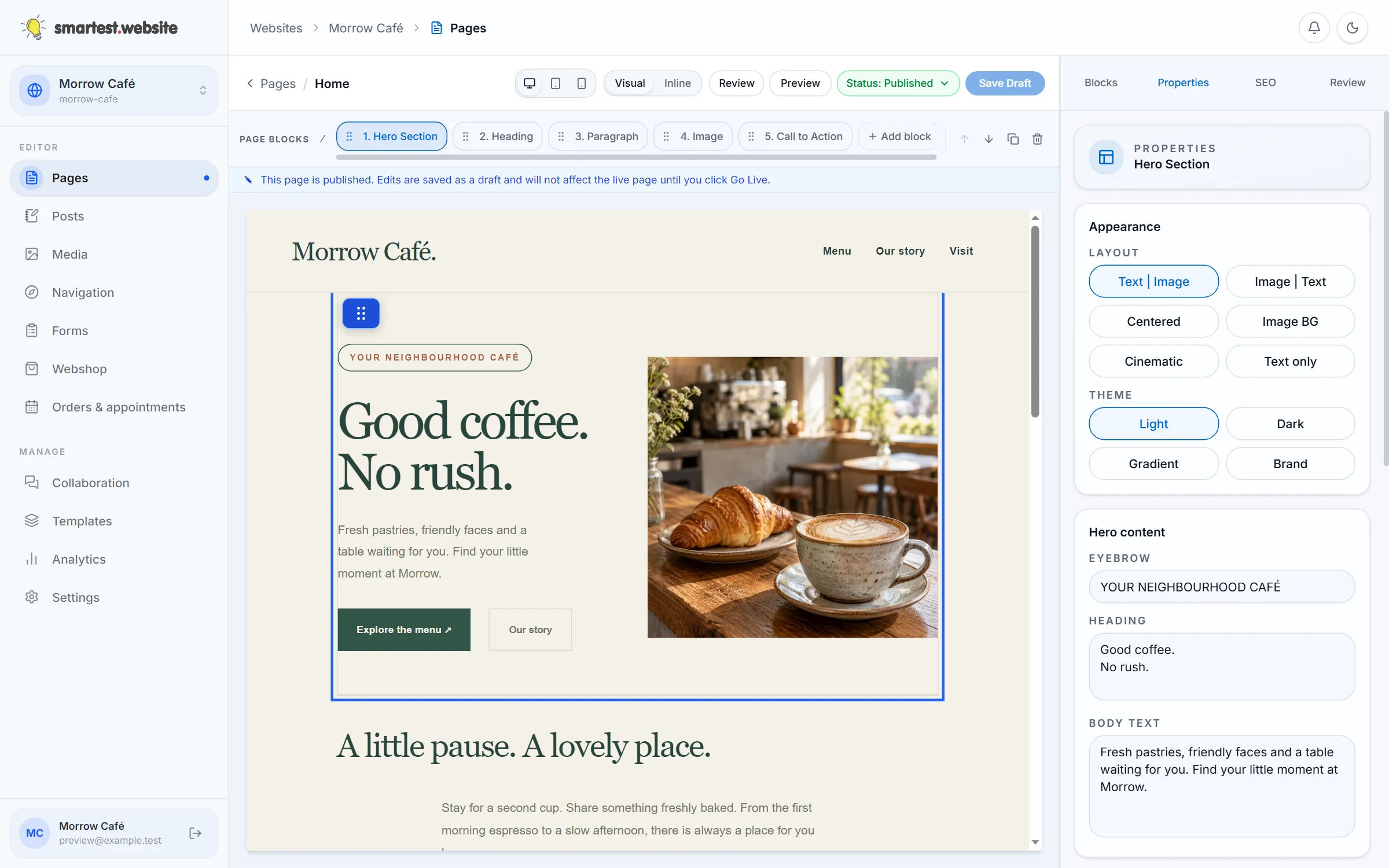
Set goals, branding, languages, and pages in one wizard. Preview templates and prepare draft content with starter layouts or AI on eligible plans.
Edit visually, preview desktop and mobile, and use responsive navigation. Add articles, audio, video, and product blocks to your pages.
Use folders and bulk actions. Browse lightweight thumbnails and animated video previews. Play audio with waveforms, plus embedded cover art and ID3 details when available.
Invite your team, assign roles, and discuss changes with comments and review requests. Start with one colleague on the Free plan.
See basic requests and bandwidth on Free. Eligible plans add detail, including the most-requested pages and files, and where traffic comes from.
Set redirects, build custom error pages visually, and give unpublished websites a welcoming starting page. Configure consent for optional services.
NEW IN YOUR WORKSPACE
Write, check and publish with fewer interruptions. Keep the everyday tools close, with more control when you need it.
A focused blog editor with formatting shortcuts, side-by-side preview, word count and reading time. Save changes as a draft, review them, then publish or schedule your post.
Review text contrast on desktop and mobile, try suggested colour fixes where reliable, and check the result again. Manage publication status separately from SEO. Some visual content still needs a manual check.
Manage sitemap.xml, a readable llms.txt summary and security.txt contact details in website settings. Choose what to include. These tools support discovery; they do not guarantee search or AI visibility.
Appointments, customer benefits and table reservations, together in your website workspace.
Explore the business toolsA CLEARER WAY FORWARD
Start free and take one clear step at a time. Your pages stay in draft until you choose to publish.
Start freeCreate a free account, choose your goals, and set up your brand, template, and pages.
Edit your content, add media and forms, or prepare a shop. Preview how it all looks on a phone.
Review your drafts, go live when you are ready, and keep improving with your team and traffic stats.
Your website address
Check whether your domain name is available. Already own one? You can connect it to your website.
Use your business name, a project name or your next big idea.
Your search checks availability only. No account is needed.
BUILT FOR WHAT COMES NEXT
A home for the work you do today, with room for the ideas still to come.
For your business
Find a starting point that fits your day-to-day work. Make the design, content and details your own.
Give people a clear picture of what you do, who you help and how to get in touch. Bring your services, projects and enquiries together in one website.
Explore the possibilitiesSalons & beauty studiosIntroduce your treatments and your team, then let visitors choose an available appointment on your website. Keep your brand and booking experience together.
Explore the possibilitiesRestaurants & takeawayTake table reservations and orders for pickup or delivery. Manage your menu, table availability and customer requests alongside the rest of your website.
Explore the possibilitiesGOOD TO KNOW
From your first page to bookings and online sales: find the answer, then go straight to the next step.
Yes. Create your account and start with one free website. You can invite one colleague and use basic statistics. Extra capacity and business features depend on your plan; compare the current plans before choosing an upgrade.
Open your dashboard and sign in with your Logicos ID. From your websites, choose the site you want to work on to reach its editor, media, forms, shop and settings. You can manage several websites from the same account.
You can build pages visually, starting from a template or an industry example. Change the layout, content, colours and fonts, then add your own logo, favicon and sharing image. To get started, choose your website and open its editor or website settings.
Yes. Invite colleagues through team management and assign the access they need. The free plan includes one colleague; larger teams and additional collaboration features depend on your plan. Check the plan comparison for the current limits.
Your website starts with an included smartest.website address. On an eligible plan, choose your website, open website settings and select Custom domains to connect your own domain. Follow the A and AAAA record instructions and verify the connection. Once a verified custom domain is active, you can switch off the default address.
Yes. In the editor for your website, preview your work and manage its publication status before putting it live. The text contrast check covers desktop and mobile and can suggest colour fixes where reliable. It is a useful check, not a complete accessibility audit; images and other visual content may still need your review.
Yes. Choose your website and open Posts to write with formatting shortcuts, focus mode, a side-by-side preview, word count and reading time. Save a draft, publish when you are ready or schedule the post for later. See the writing features for an overview.
You can edit page SEO information and configure sitemap.xml, llms.txt and security.txt in the settings for your website. The sitemap lists the pages you choose to include; llms.txt provides a readable content summary, and security.txt publishes your security contact details. Some controls are in advanced mode. These discovery tools do not guarantee rankings or visibility in search or AI services.
Yes, on a plan that includes multilingual websites. Choose your website to manage its languages and translated content. To change your own workspace language, open account settings, then the Preferences tab. Check the available plans for multilingual and AI-assisted features.
Open Forms for your website to manage responses and delivery. You can keep submissions in the workspace, send email notifications or store them in a custom collection where your plan allows it. Submissions are private by default. Configure and test email delivery before relying on notifications.
Yes. Open the shop for your website to manage products, delivery options, promotions and orders. Digital products can provide secure file access after successful payment, with configurable download limits. Online checkout requires an available payment integration and a connected merchant account. Product limits and commerce features depend on your plan.
Yes. The appointment tools support services, staff availability, Google Calendar and Outlook connections, and waitlists. Customers can reschedule or cancel through secure links, subject to your deadlines and payment rules. Select your website to set up bookings; an eligible plan and configured calendar, email and payment services are needed for the features you use.
Yes. The restaurant tools cover tables, party sizes, opening hours, seating durations and availability checks to prevent overlapping reservations. Guests can cancel through a secure link, and waitlist offers can fill suitable tables. Choose your website to configure reservations on an eligible plan. Pickup and delivery ordering are also available, with delivery arranged by your business.
Yes. The business tools include prepaid service packages, appointment credits, gift certificates and loyalty points, with balances and transaction history. In your website, configure the benefits, earning and redemption rules you want to offer. Availability depends on your plan, and paid purchases require a configured payment provider.
Yes. Business features include customer accounts, members-only content and products, and recurring plans with appointments or credits. Renewals, payment failures and cancellation affect access and balances. Recurring payments use Stripe and require an eligible plan and a connected merchant account. Set this up for your website; protected pages and posts require the supported managed website delivery mode.
Basic mode keeps everyday controls easy to find. Open account settings, then the Preferences tab to switch to advanced mode and reveal additional settings across the app. Question-mark icons explain what individual controls do. Features can also depend on your permissions, website type and plan; advanced mode does not unlock paid features.
Open billing to manage the subscription for the relevant organisation. Plans and website allowances belong to organisations, so select the right one if you work with more than one. You can also compare plans before making a change.
MAKE YOUR NEXT MOVE
Start with a free website. Find your style, publish your first page, and add more when you are ready.